Let AI Write Your Standard Operating Procedures
Talk through the process. Let AI write the documentation.

Documenting a process is always the type of thing that gets pushed off until “later” — especially if you’re running a solo business. It’s just you, so why do you need a written version of how something gets done?
But think about the day when you want to hire out some of your work. Or maybe you need to step away from your business to deal with an emergency. When that happens, written standard operating procedures (SOPs) will matter.
Creating SOPs doesn’t have to be a chore. With AI, you have a lot of options to capture SOPs while you work with very little extra effort. One option is to have Claude create the SOP for you.
Before you get started:
Here's what you'll need:
- A Claude account, plus the mobile app if you want to dictate
- Somewhere to store the finished SOP — I use Notion [affiliate link*], but a Google Doc or a downloadable file works too
A few ways Claude can create SOPs for you
When I’m describing a process that is entirely human or relies on a tool like Zapier, the fastest way for me to create an SOP is to just dictate my process and have Claude format it for me.
But also, I have a “nudging behavior” set up in my Claude settings. If I’m working through something and Claude notices that it sounds like a process, Claude will ask, “Do you want me to save this as an SOP for you?”
The third way this happens naturally in my work is when I build Claude skills. Skills are a repeatable set of instructions that Claude follows every time. The skill basically is the SOP, outlining what tools to use and what steps to follow. Every time I create a new skill in Claude, I have a copy written as an SOP in Notion.
 Anna Burgess Yang
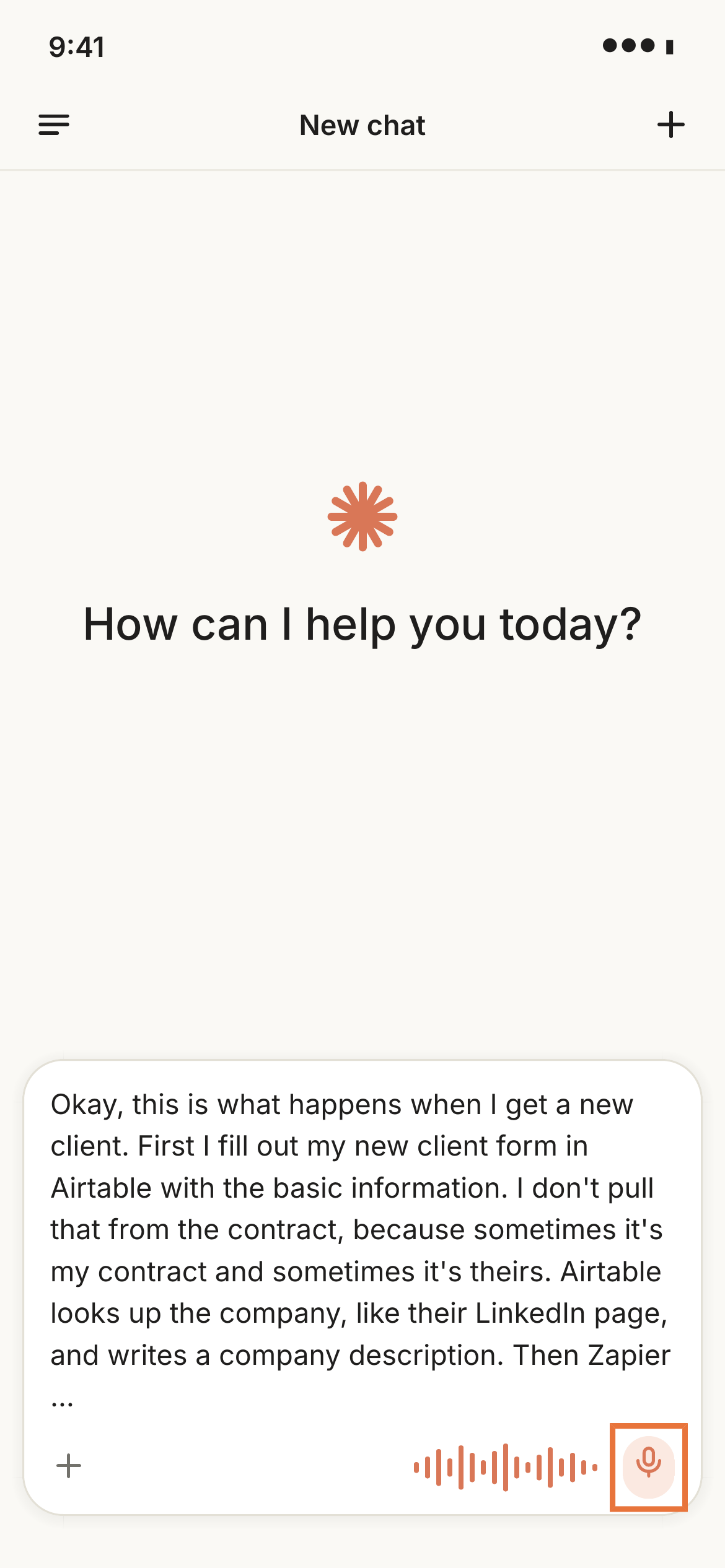
Step 1: Dictate your process into Claude
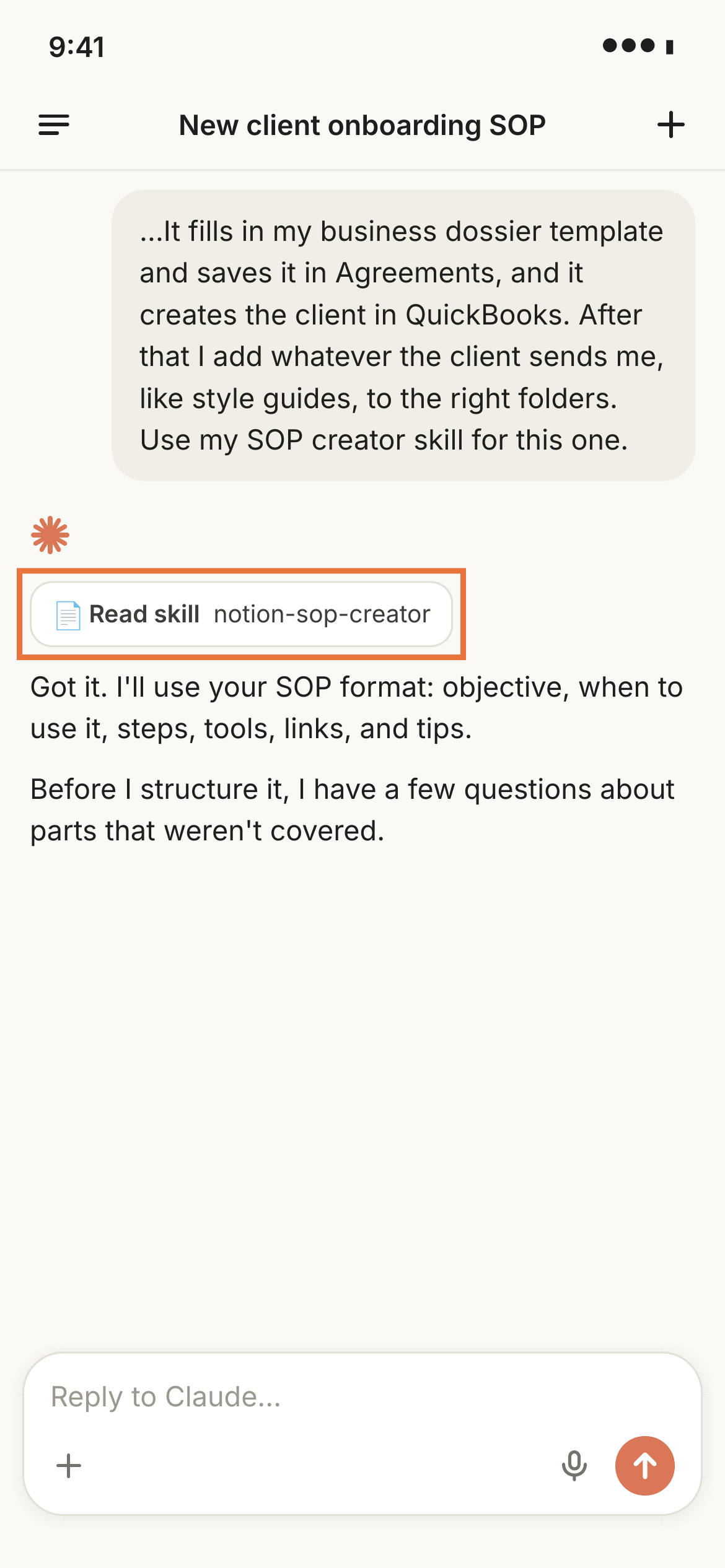
Open the Claude app on your phone and dictate what happens during the process you want to document. Talk it through the way you'd explain it to someone else.
You can use a saved skill to create a specific format that Claude follows each time.
Step 2: Answer Claude's follow-up questions
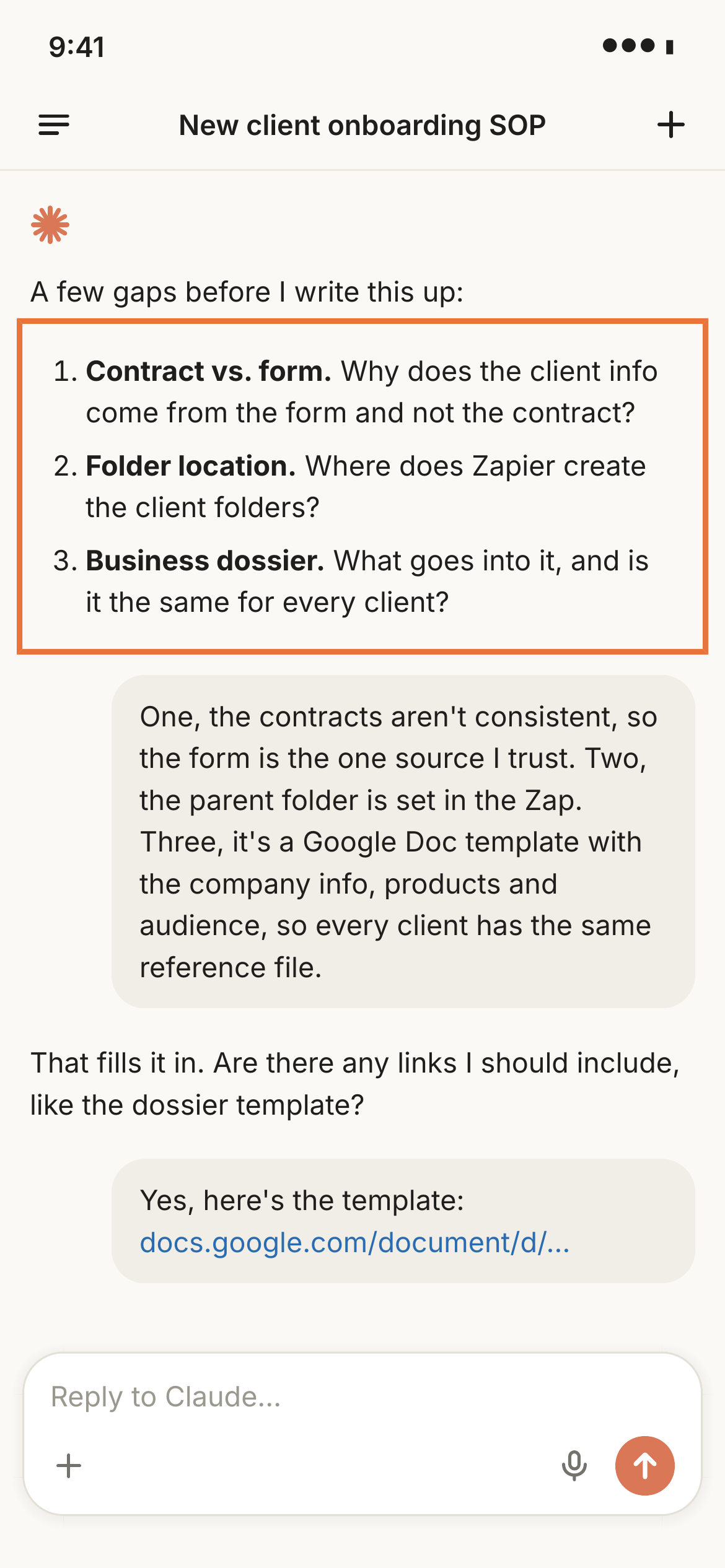
Claude flags the parts of the process you skipped over or left vague, and asks about them. Dictate the answers the same way you dictated the original walkthrough.
Step 3: Let Claude structure what you dictated
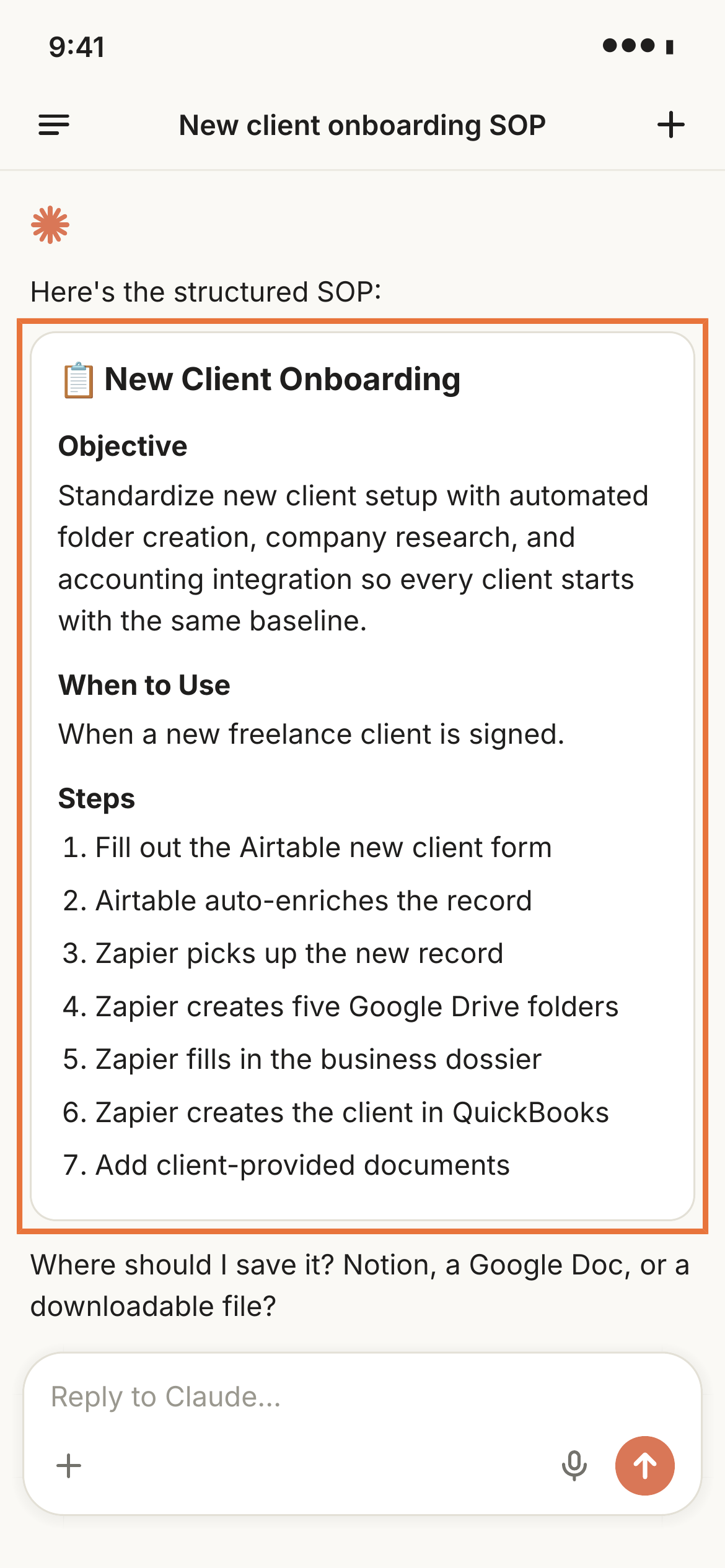
Claude pulls the objective, what the SOP covers, when to use it, and the steps out of what you said.
Step 4: Choose where the SOP gets saved
Claude asks where to put the finished SOP. Mine are all in Notion, but you could also save to Google Drive.
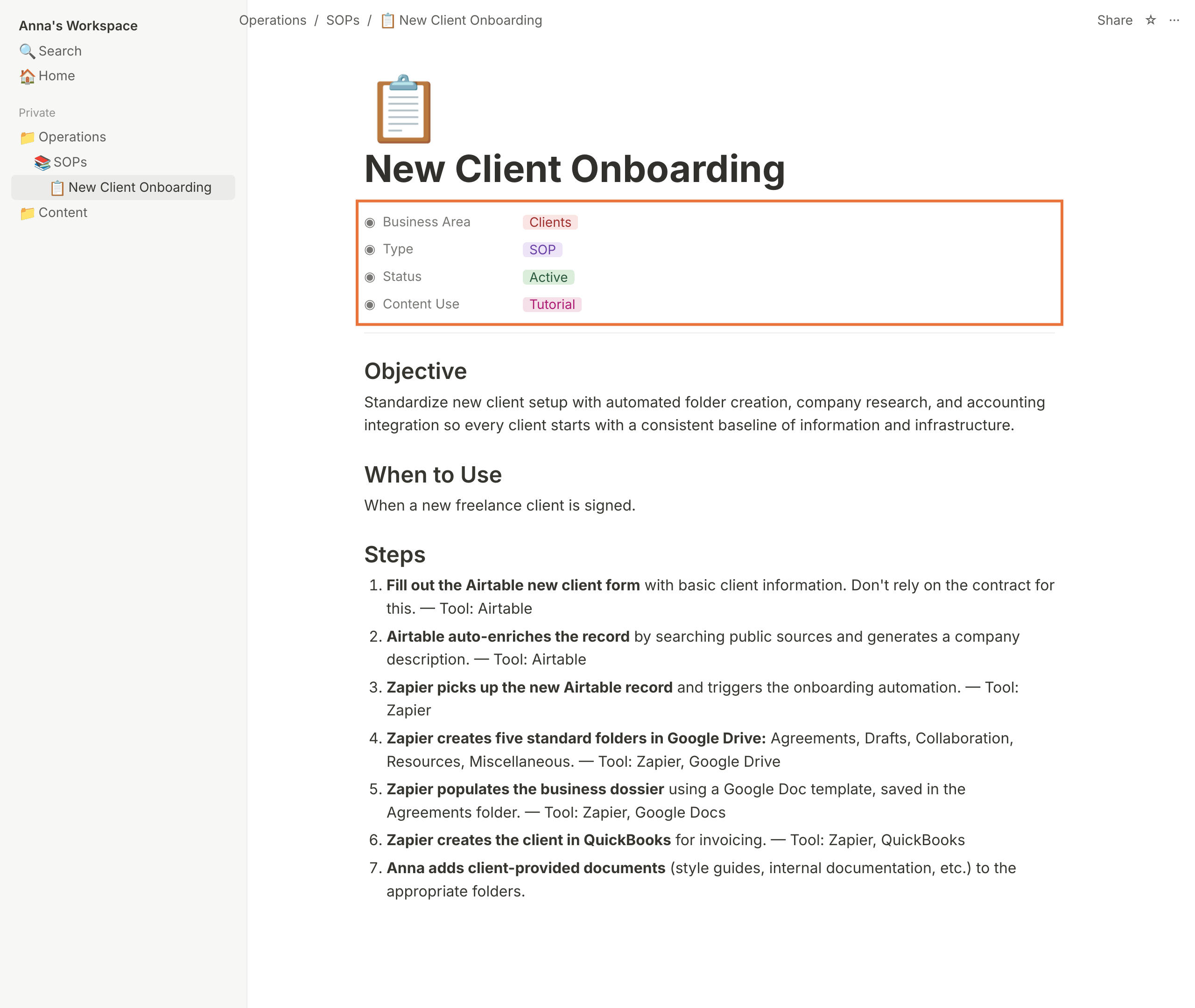
If you run this process often, build the destination into the skill so Claude saves it to the same place every time without asking.