5 AI Projects for Writing Assistance
AI can be a helpful sidekick.

When I first started using AI, I wanted it embedded in my workflows. I wanted it to run in the background so I didn't have to think about it. (Example: using AI to turn blog posts into social posts, which happens through Zapier.)
Then ChatGPT released Projects. Projects let me add context, like external files, and have an ongoing conversation about whatever I'm working on. Different use case than the work I was automating.
I'm a writer. When generative AI first burst onto the scene, I was skeptical. The output was blah at best. But the models have gotten better. I think of AI as a writing assistant, not a replacement. And I hold two pillars above everything else when I write:
- The key to generative AI is to use my ideas as a starting point
- Edit, edit, edit. AI is a first draft, not a final version
Creating a project in Claude
I've recently moved from ChatGPT to Claude. I'm still testing both, but I think Claude is better for writing tasks.
Regardless of which tool you use, ChatGPT, Claude, and Gemini all have similar functionality. You can create a Project to store conversations and context related to a specific task.
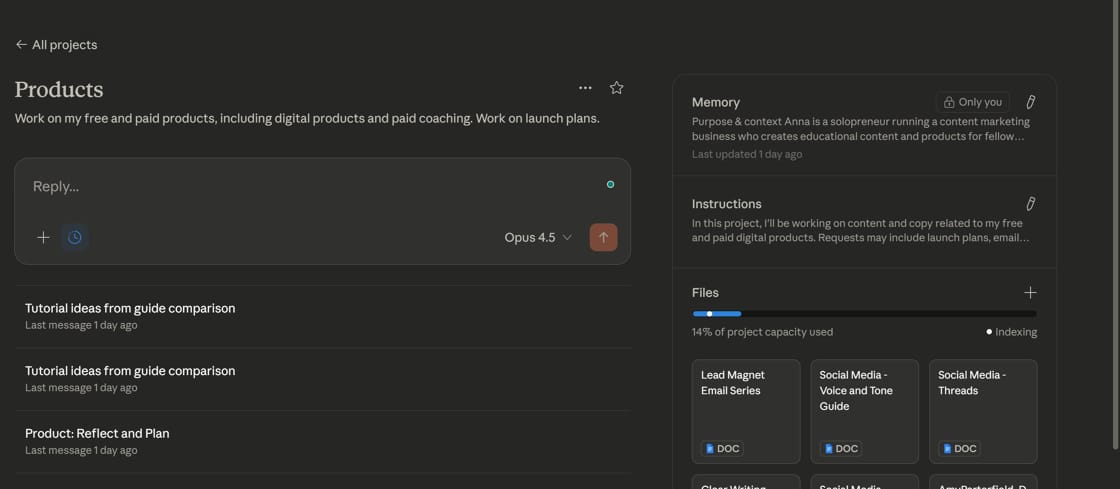
You can give project Instructions, so the AI tool remembers what you want to do each time. This particular project has a wide range of use cases, but I have other projects with very long, detailed instructions.

You can also add project Files. I have Claude connected to my Google Drive. When I migrated from ChatGPT, I went through an entire process of making sure all of my files were connected via my GDrive, instead of downloaded/uploaded to the project. That way, I can make sure all Projects are working with current versions of my files.
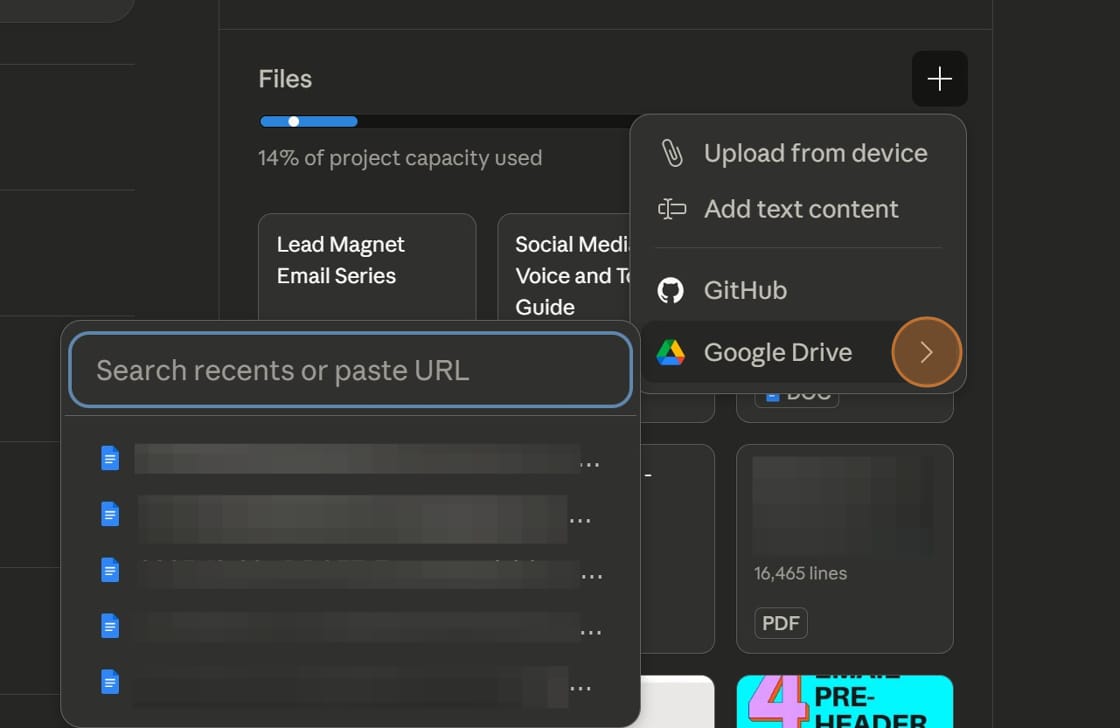
I have a whole folder on my Google Drive full of files like that. Here's the chance for these files to shine. Attach them to your Project as an additional resource for AI to use.
My AI projects for writing
I actually have a ton of Projects set up, but some of them are really specific to me and how I work (like working with my newsletter content).
Here are some of my more general use cases for writing Projects.
1. Self-editing my work
I don't have the benefit of working with an editor most of the time. Sometimes I have an editor for client work, but not for my personal writing. It's all me.
I've used Grammarly for years to help with catching mistakes or tightening sentences, but it's not the same as having a second set of eyes on my work.
An AI project can help with this. With an editing project, I can use prompts like:
- How can I improve this draft?
- Did I leave anything out?
- Is anything unclear?
I also have a Voice and Tone Guide. It describes the basics of my writing style, but also my audience and my intended goals for everything I publish. Within the project, I can ask Claude to compare my draft to my Voice and Tone Guide.
2: Create an outline (with research)
When I come up with an idea for a blog post, I'll add it to Trello along with a few notes. Sometimes, I'll even dictate my idea.
In a Claude project, I can turn my rambling thoughts into a more cohesive outline. In some cases, I have a ton of notes, but they're not organized in any way. Claude can do this quickly. Then, in my drafting app (Reflect), I'll rearrange the outline, delete things I'm not interested in, and finalize what I want to say before I start drafting.
I'll also ask Claude to include some outside research or data points. In my instructions, I tell Claude to put any outside sources at the bottom of the outline, rather than incorporating the research throughout. I'll ask for ten sources and end up using one, so I'd prefer to see my options and choose what fits best.
3. Turn a transcript into a blog post
I'm a frequent podcast guest and also speak on panels. I like to get the most mileage out of content as possible, so I like to turn transcripts into blog posts.
This Project has more detailed instructions. I have to tell Claude to only look at my responses. I also usually have to pick a theme for the blog post. Sometimes, as a guest, I end up covering a wide range of topics. A blog post needs a specific focus.
I'll ask Claude to look at my blog's URL and return some topic ideas that I haven't written about previously (or, at least, come up with a new angle). From there, I'll create an outline based on the podcast content.
4. Promotion of digital products
I have a lot of digital products available for download. I also have a process to refresh and re-promote these products.
With a Project, I can ask Claude to help me with email sequences, landing pages, and social media posts. I even had Claude help me come up with a launch plan for a workshop I'm running.
I'll upload the specific digital product I'm working on and then chat with Claude about the supplemental content I need.
5. Getting content ideas for the week
I have a whole content repurposing process, plus store endless ideas in Trello – but I also like to see if there are new ideas I haven't considered.
This Project is inspired by this blog post from Buffer. The author has a ChatGPT scheduled task in which the prompt asks for Substack post ideas, LinkedIn post ideas, and email experiments.
I've modified the prompt and ask Claude for the following:
- LinkedIn post ideas based on my recently published blog posts
- Substack ideas based on news articles about work culture from reputable sources
- Tutorial ideas based on my conversations with Claude
- Newsletter ideas based on my conversations with Claude
By asking for ideas based on my conversations with Claude, sometimes Claude finds things that I wouldn't have considered otherwise.
More resources:
Want some inspiration? These content repurposing automation examples include everything from transcripts to carousels to videos.